Examination & imaging
Captures images and measurements directly into the patient's file.
For Opticians
What changes
Every image and measurement for the patient, from different dates and devices, in one view.
Compare today's exam with earlier ones side by side, so changes are easier to see.
Share is built in. Choose the specialist, and the images and measurements go with the referral.
Ask a specialist for a second opinion, or send a short message about the case, with the relevant exams attached.
Connect the third-party AI tools you choose. Their results appear in the patient file next to your images, before you decide whether to refer.
On screen
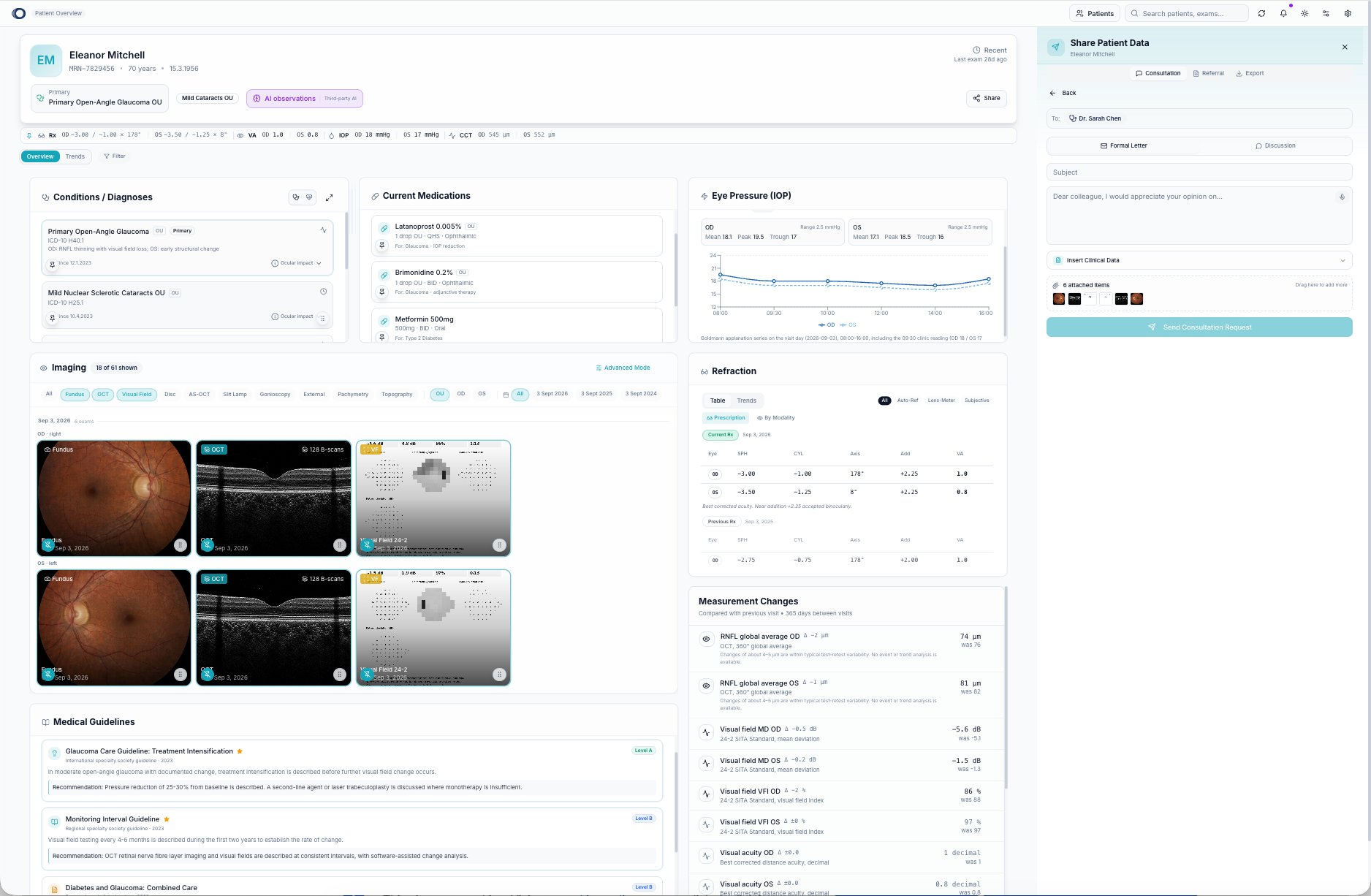
Shown with synthetic data from our own datasets — never real patient or device data.
Who sends what to whom
Captures images and measurements directly into the patient's file.
Reviews the Full Picture, then refers, asks for a second opinion or sends a message.
Opens the case with all scans, measurements and history already attached.
The specialist's reply arrives back in the same patient file.
The care path
Tell us your sites, machines and partners, and we'll show you what one shared file looks like for you.